

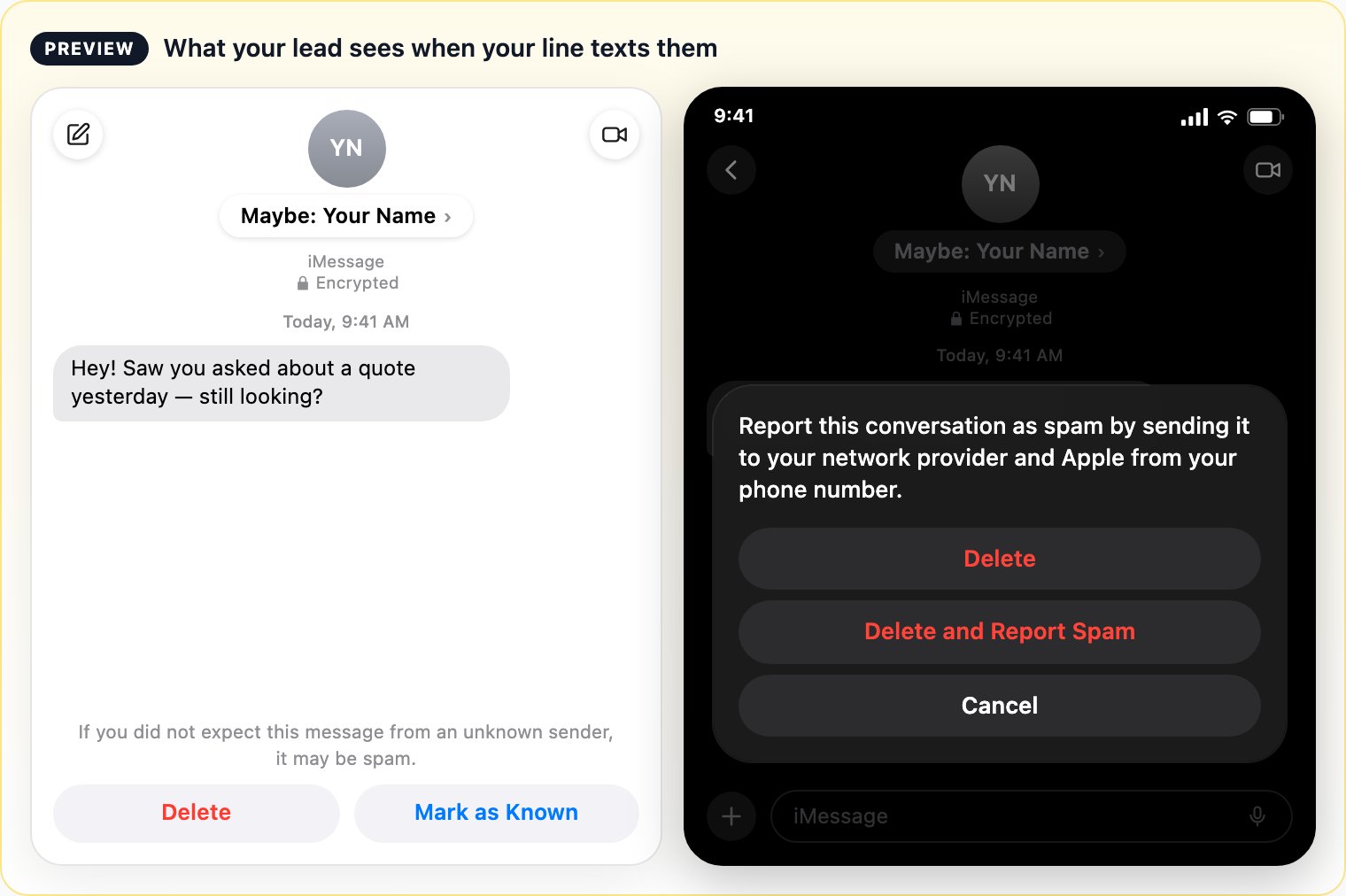
Preview — your line's display name appears after “Maybe:”. Left: Messages on Mac. Right: tapping Delete on iPhone.
recipientPreviewUrl — a hosted version of this preview under your line’s own display name. See Create Line Request.
What one tap does
Tapping Delete opens Apple’s sheet: “Report this conversation as spam by sending it to your network provider and Apple from your phone number.” One more tap — Delete and Report Spam — sends the report. A few reports can ban a line permanently, even when the person opted in. See line health.The rules
Do
- Message people who opted in recently and will recognise your name.
- Write like a person — short, specific, conversational.
- Re-engaging older leads (under a month)? A different, personal message for each one, and 3–5 minutes between leads.
- Ask them to save your contact once they reply — that removes the warning for good.
Don't
- Message anyone who opted in more than a month ago and may no longer remember your brand.
- Send the same templated message to a batch of old leads.
- Use high-pressure sales tactics, chase people who went quiet, or reply rudely.
- Send more than 3 follow-ups to someone who hasn’t replied. Some providers block you after 5 unanswered messages — Tuco doesn’t, so behave properly.
- Assume the warning goes away after your first message.